
Reflection from the 2026 Fall Workshop Day – Minnesota Microsoft 365 User Group
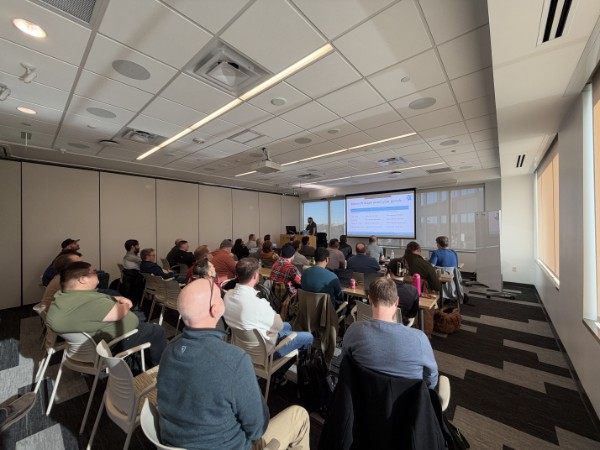
On Friday, November 13, I returned to a very familiar setting: standing in front of a room full of fellow Microsoft enthusiasts as part of the MN365 user group’s 17th Biannual Workshop Day. I started with something I’ve said countless times throughout my career:
“I’m not a developer.”
I’m an administrator. I’ve spent 25 years working in technology, much of that time consulting, administering Microsoft environments, solving problems, and more recently working as an enterprise architect. Developers write applications. I administer the systems those applications run on. At least, that’s the distinction I’ve always made in my head.
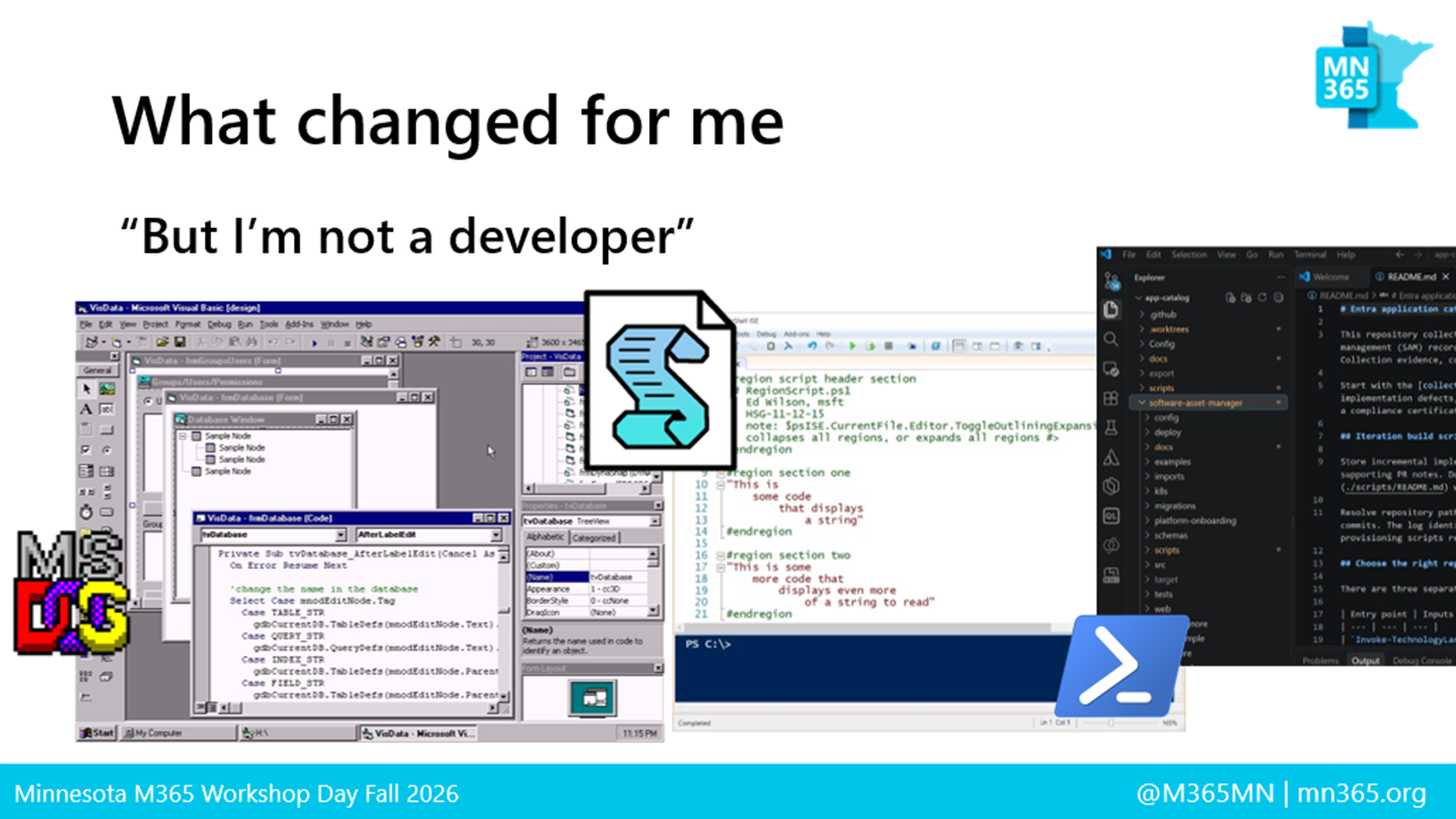
The problem is that when I actually started telling the story of how I got here, that distinction became harder to defend. I wrote batch scripts in the ’90s. I moved into Visual Basic, then PowerShell, Microsoft Graph, VS Code and Git. I’ve spent an enormous part of my career breaking complicated problems into smaller ones and writing something that makes the tedious parts happen automatically. Somewhere along the way, I had accumulated most of the behaviors of a developer without ever giving myself the title. Today’s session was really the story of what happened when AI made me confront that.
The real problem wasn’t PowerShell… it was how I looked at data
For years, one of my answers to almost every administrative problem was PowerShell. Someone needed an application inventory? I could build it. Someone wanted to understand licensing or activity? I could find the Graph endpoints, write the queries, export the results and turn them into something useful.
During the session I showed one of those application inventory processes. It took about 59 minutes to run and eventually produced a nearly 10 MB Excel workbook. Technically, it was impressive. It collected information from multiple sources and joined everything together. It also perfectly demonstrated the problem I had unknowingly created for myself.
I had automated the collection of the data, but I hadn’t really automated the work. Tomorrow I would have to run it again. Then I would have another workbook. A month later I could have dozens of them, each representing one moment in time. If something failed Thursday, how would Friday’s report know Thursday was missing? I had built a faster way of doing the same job instead of questioning whether I should still be doing the job that way at all.
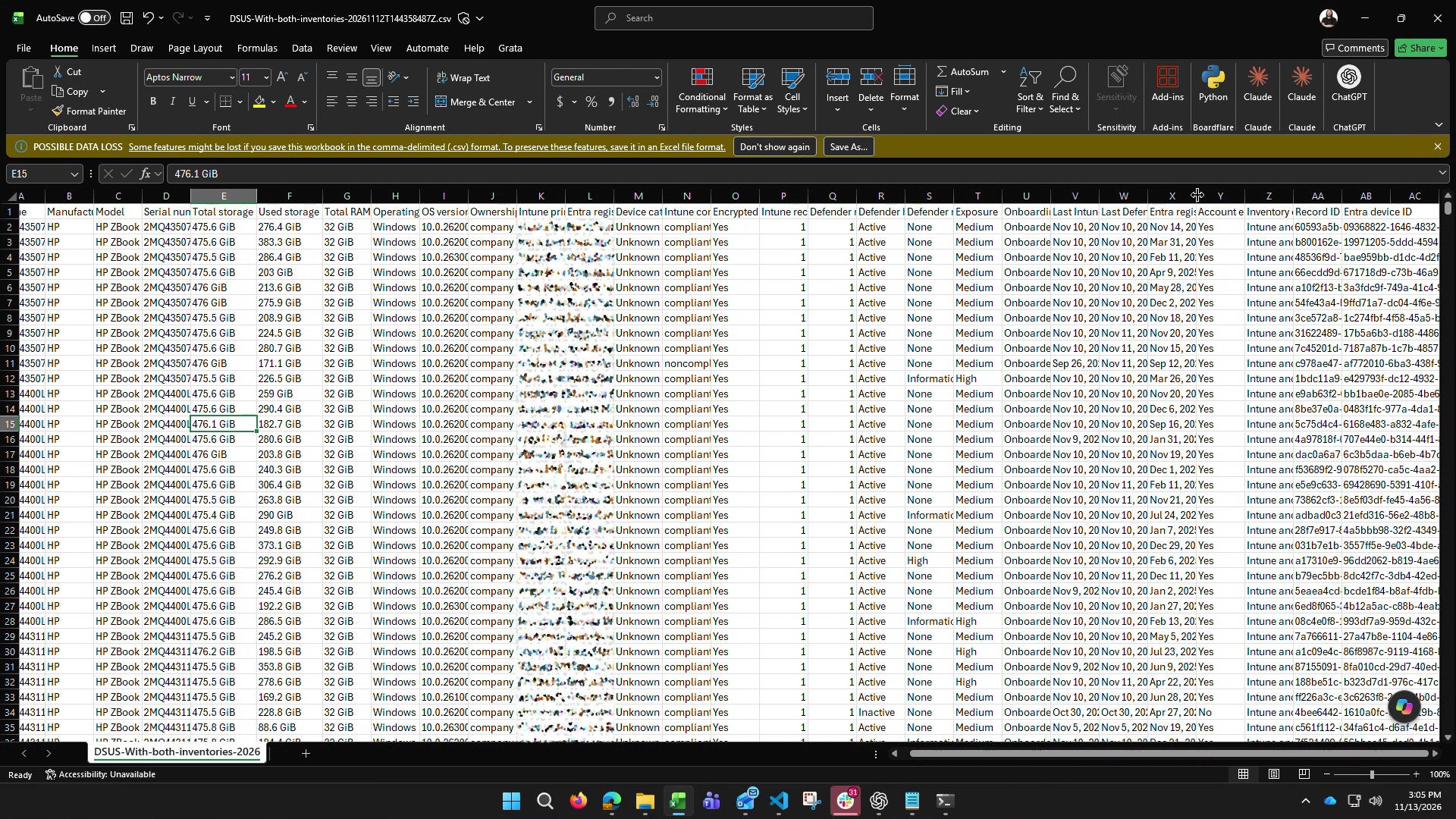
The application inventory workbook collected a large amount of useful evidence, but it still represented a single point in time.
A growing archive of exports made the larger problem visible: collection was automated, but history, recovery and reuse were not.
AI became my assistant, not my answer
That realization changed how I thought about AI too. I described AI to the room as an assistant or a chief of staff. An executive doesn’t personally collect every document, analyze every spreadsheet and reconstruct every conversation before making a decision. Other people help assemble that context so the executive can focus on the part that requires judgment. That is increasingly how I want AI to work for me.
I’m still responsible for understanding the environment. I’m still responsible for verifying what comes back. And ultimately, I’m still responsible for the decision. But I don’t necessarily need to personally perform every mechanical step required to get there.
That became an important distinction for me. The goal wasn’t to have AI write another PowerShell script. The goal was to get to the information I need to make a good decision, without spending an hour (or more, based on the task) assembling the answer every time someone asks the question.
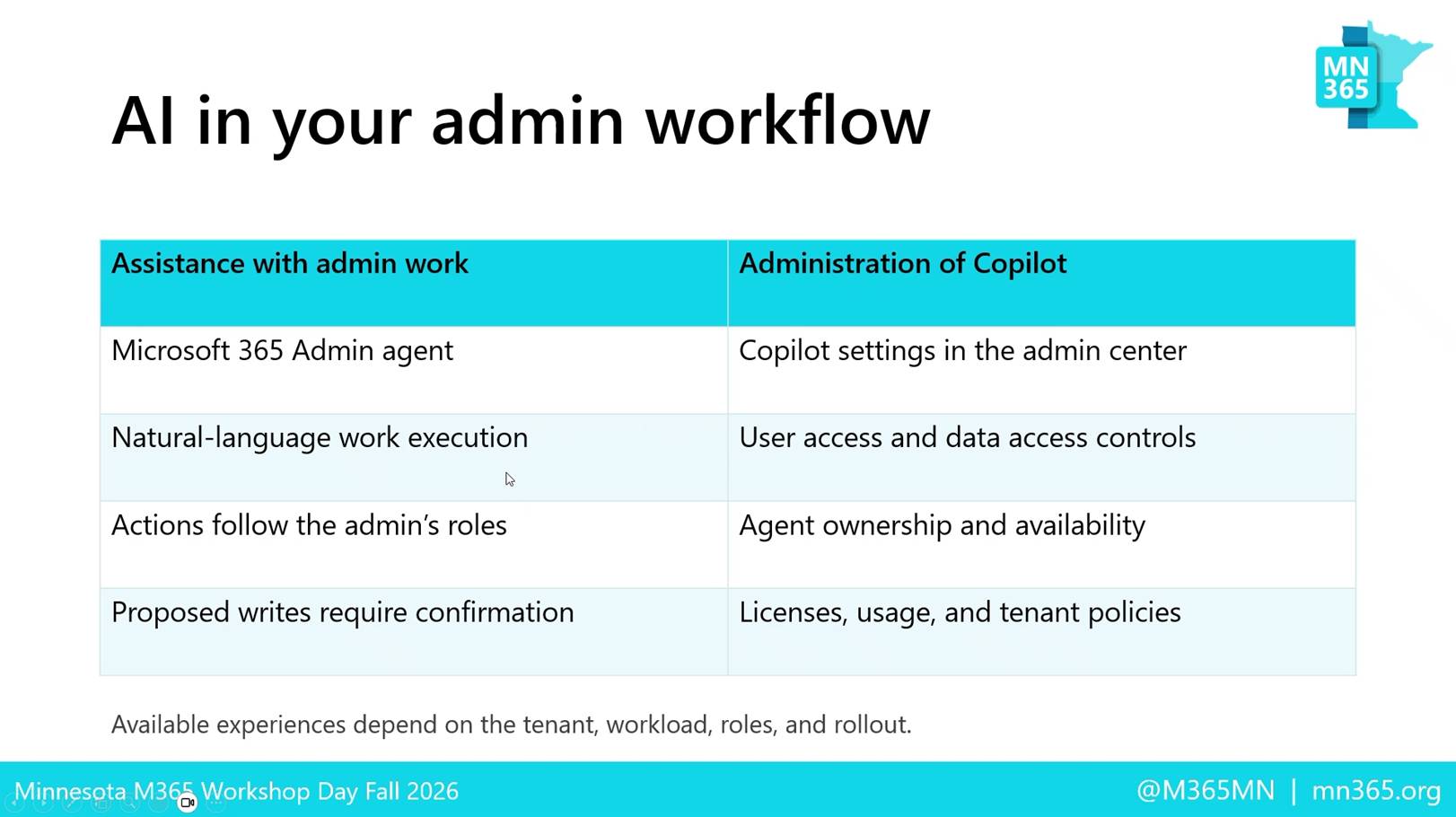
The workshop framed AI as part of the administrator’s workflow, with permissions, roles and confirmation still governing what the tools can do.
Better questions create better tools
One example I used during the session was a request that sounds incredibly simple: find unused applications and remove them.
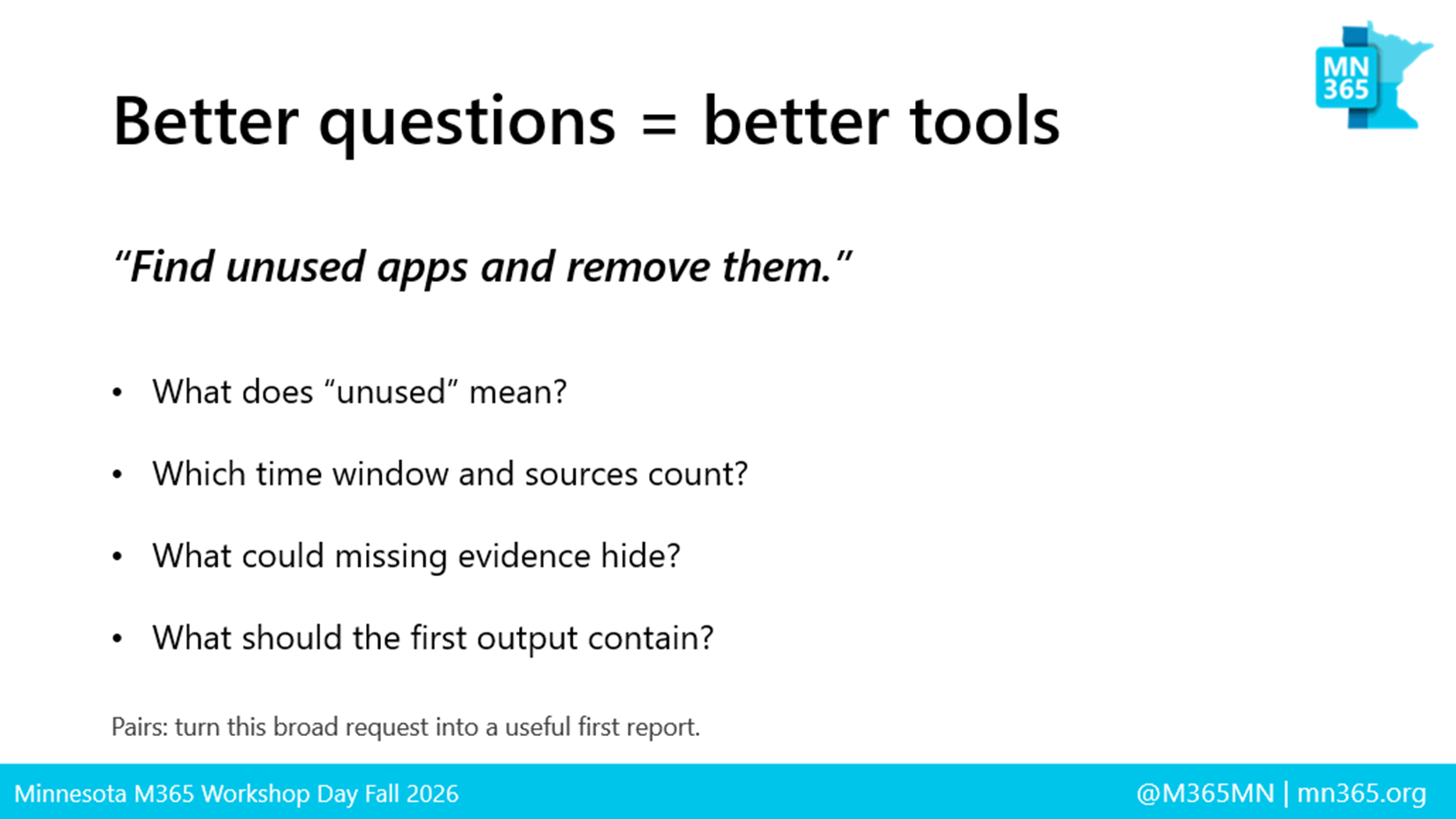
Except, what does unused actually mean? Maybe nobody is assigned to the application. Maybe people are assigned but nobody has signed in for 30 days. Maybe 500 people are licensed but only five people actually use it. And if someone says “remove it,” are they trying to save licensing costs, reduce security exposure, consolidate applications, or simply clean up the environment?
The data might be exactly the same, but the problem we’re trying to solve completely changes how we should interpret it. That reinforced something I’ve learned repeatedly while building with AI: better questions create better tools. AI dramatically accelerates our ability to build something, but experience still determines whether we are building the right thing.
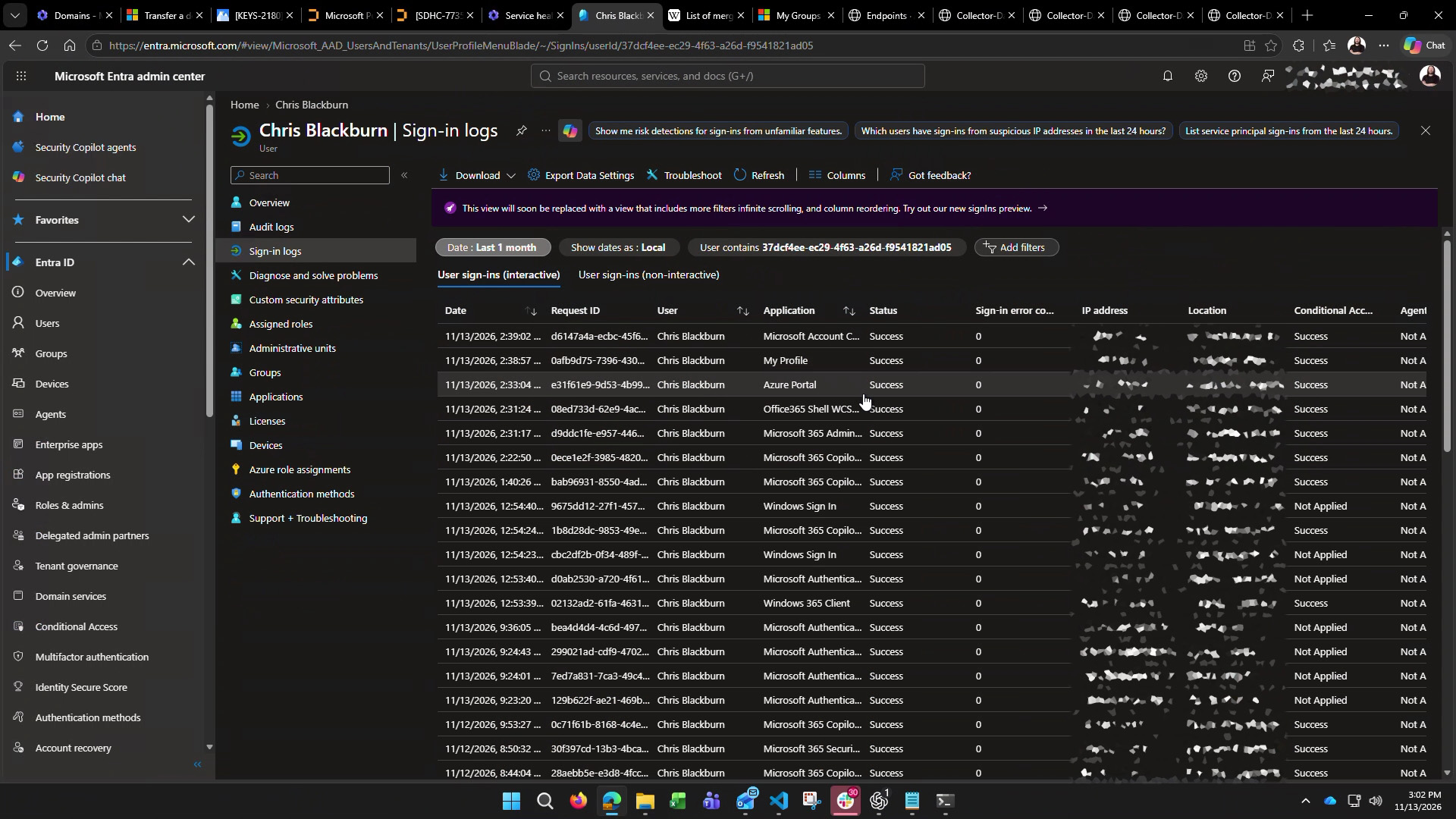
Live Entra sign-in evidence illustrated the difference between an application assignment and observed application use.
How individual spreadsheets became a living data platform
Eventually I stopped thinking about the problem as reports. Microsoft 365 isn’t really a collection of portals. It’s a collection of related assets. A user has devices. A device exists in Entra, Intune and Defender. A user belongs to groups. Groups provide access to applications. Applications have assignments, provisioning, owners and authentication activity. A Microsoft 365 Group can touch security, Exchange, SharePoint, Teams and several other services.
Suddenly, what looks like a question about one application involves into five or six different sources of information. Once I began thinking about those relationships instead of individual slices of data, the art of the possible began.
- How does dependencies on Entra impact other services, like Exchange
(ok, maybe too soon 🤣 #Rememberthe12thofNovember)? - How does 1 device look differently to different services like Entra, Intune & Defender?
- If I wanted to tell leadership the value of an application how does that go beyond just licensing costs and really looks into how often users are accessing that application?
From there the journey of mapping Graph calls, permissions and database schemas expanded to fuel bringing the interconnected source. I shared these infographics with the attendees and will follow this up with a dedicated module in this series so stay tuned!
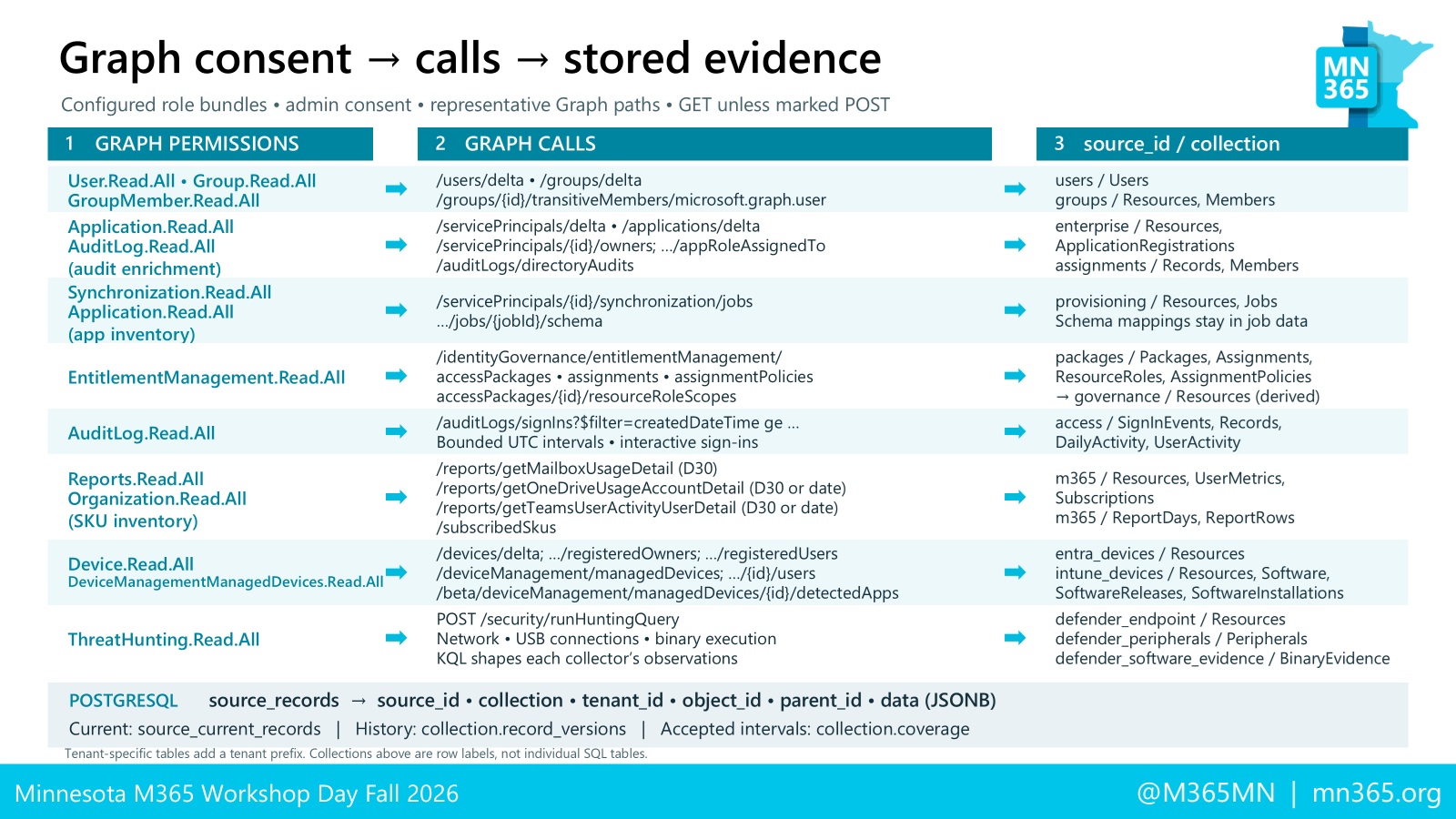
The information I used to collect as individual exports started feeding a retained data platform. Entra, Intune, Defender, Microsoft 365 activity, applications, groups, identities and other sources could be collected and related instead of rediscovered every time somebody asked a question. Git gave me history. GitHub Actions gave me a repeatable build process. Azure Kubernetes gave me somewhere to run it. And eventually an MCP interface gave AI a way to have a conversation with the evidence.
Microsoft Graph provides the service families, but an actionable answer still requires explicit relationships across applications, assignments, groups, sign-ins, entitlements and business context.
My North Star: having a conversation with the data
When people think of AI work in the traditional sense, I feel this is where they see as nirvana (or in Minnesota, our North Start): having an intellectual conversation with technology and REALLY being our assistant in work, in problem solving, etc. That piece is probably the part of this journey that excites me most.
During the session, I could ask how many Macs existed in Entra and get an answer from information that had already been collected. The retained data showed 1,232 Mac device records, with 1,140 enabled and 92 disabled. I could ask about Wrike and find 25 distinct users with successful sign-ins during the collected October 13 through November 12 window.
I didn’t need to remember which Graph endpoint contained the answer. I didn’t need to open three portals and reconstruct it. Most importantly, I didn’t need to create another spreadsheet that would immediately begin getting older. But that meant I needed to think about the relationships between the data
The work had already happened. Now I could talk to the evidence.
The way I worked every day evolved
As the questions evolved in how I looked at problems, they also served as a vehicle for evolving my arsenal of tools that helped me attack them. The tools that I traditionally would have said “that’s only how developers work” became how I work now on a daily basis.
- What was writing scripts in Powershell ISE became using VS Code.
Now I don’t have a day where I don’t have multiple windows open on different tasks - What was keeping scripts scattered across folders in OneDrive gave way to managing repos based on project in GitGub.
- What was a chore to document what scripts do and how they work now are an ongoing tasks aided by AI and the management of markdown files as I work
- What once looked like multiple individual web hosting providers and platforms now is separate Azure subscriptions and resource groups running Kubernetes web services
- What once was an arduous process of iterating, changing, and making updates evolved into automation in Github thru Pull requests and deployment workflows with Actions
And then my live demo broke
There is apparently some unwritten law of technology presentations that your most complicated demo has to break precisely when you’re explaining how well it works.
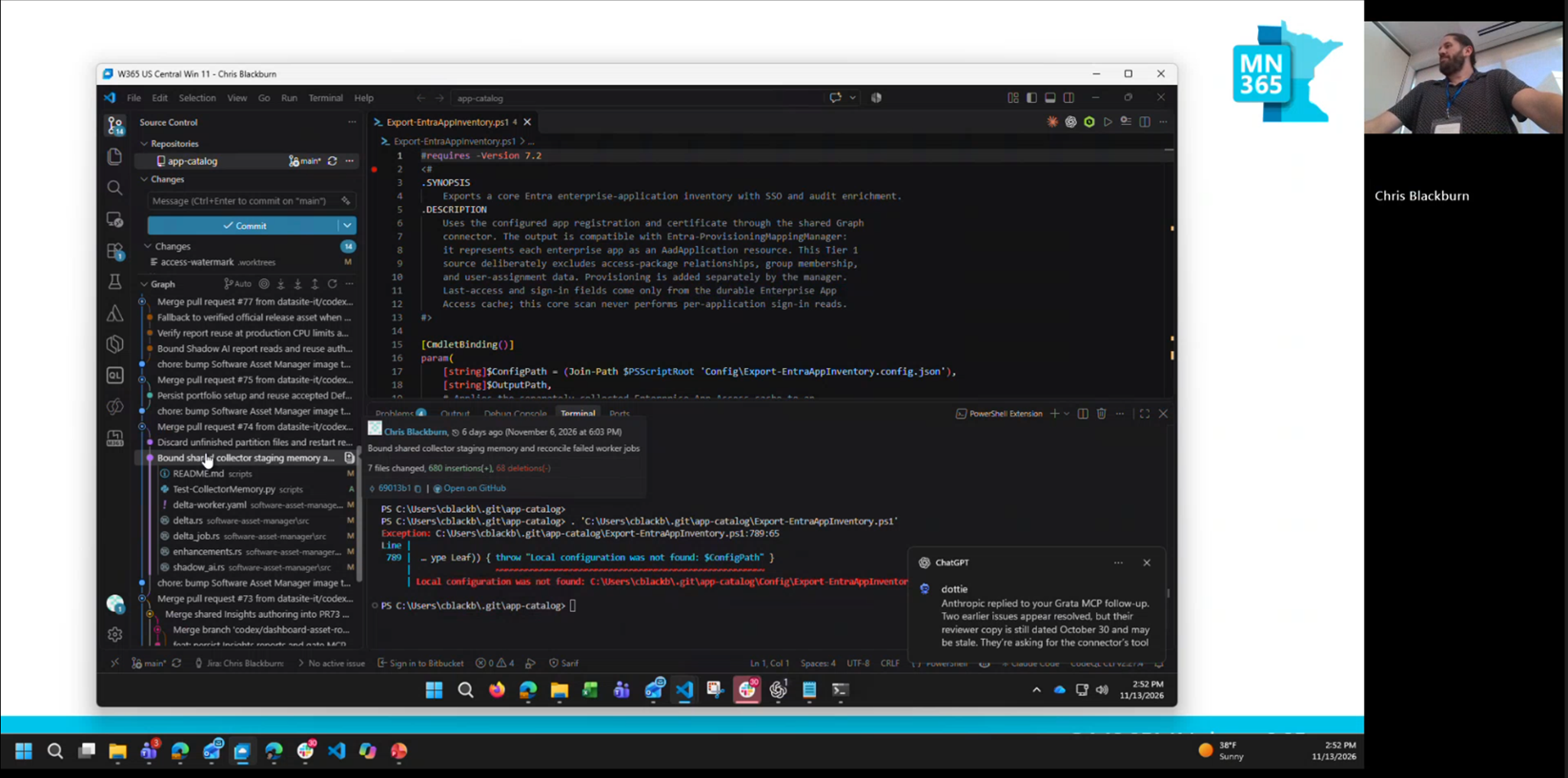
I had recently added millions of Defender software and binary observations to the platform, and one of the reporting paths was doing far more work than it should have. Pages slowed down. Queries started taking forever. Suddenly the polished demo I had planned became troubleshooting a production-sized data problem in front of a room full of Microsoft administrators.
Strangely, that might have demonstrated the point better than anything I had planned. While I continued presenting, AI helped trace the bottleneck and work through the problem. The changes moved through Git, testing, GitHub Actions, a new container image and ultimately the Kubernetes deployment process. I wasn’t personally sitting there writing every line of code. I was describing the problem, examining what came back, evaluating whether the solution made sense and watching it move through the engineering process.
Problem solving + process improvement = Development
That brought me back to the statement I made at the beginning of the session: I’m not a developer. Maybe I am. Maybe a lot of administrators are and simply haven’t thought of themselves that way. More importantly, I’m not sure the distinction matters as much as it once did. AI has dramatically shortened the distance between understanding a problem and building something capable of solving it.
What AI hasn’t eliminated is the need to understand the problem in the first place. AI can help me write code, but my 25 years in technology tell me when an answer smells wrong. They tell me which questions a security team is going to ask, why an identity relationship matters, why missing activity cannot automatically be interpreted as zero activity, and why a technically successful query can still produce a terrible business answer.
That experience hasn’t become less important because of AI. It has become the thing that makes AI useful.
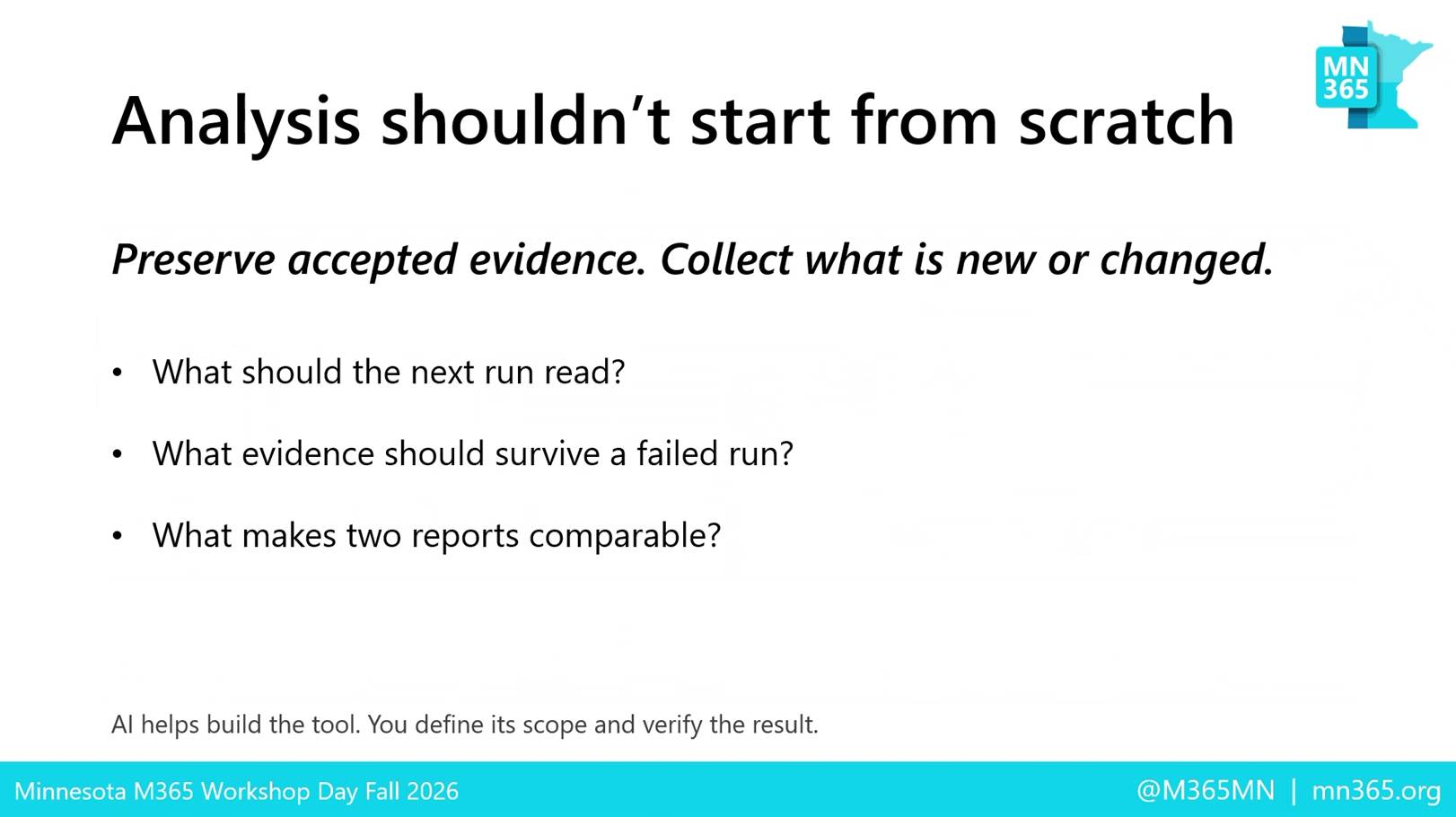
The operating principle behind the platform: preserve accepted evidence, collect what is new or changed, and make each run comparable to the last.
Work smarter, not harder
That was really the story I wanted to leave people with today. This wasn’t a workshop about convincing everyone to learn Kubernetes. It wasn’t about replacing PowerShell with AI or suggesting that Microsoft 365 administrators suddenly need to become software engineers.
It was about recognizing how much of our time has historically gone into the mechanics of getting an answer. Finding the right portal. Finding the right Graph endpoint. Writing the script. Exporting the CSV. Joining the spreadsheet. Repeating the same process next week because somebody asks the question again.
We finally have tools capable of taking away a remarkable amount of that mechanical work. The interesting question is what we do with the time and capability that gives back to us.
I started this journey trying to find a better way to run my scripts. I ended up changing how I think about my job. And now, after 25 years, I realized that I’ve been a developer all along thru the problems I’ve solved and continue to tackle every day.
“I started this journey trying to find a better way to improve my job thru consistent repeatability. I ended up changing how I think about my job.”

